Computer hard drives or computer hard disk drives are the main storage devices in your computer system.
They permanently store data unless they are formatted (deleting all information) or damaged.
Most hard disks will eventually fail..... It's just a matter of when. This is caused by the fast spinning platters and their close tolerances. You can view a wide range of hard drives here.
Since a hard drive's failure is imminent, it is extremely important to keep all your data backed up.
The hard disk drive is a non-volatile storage device to which your operating system, programs and files are stored. It is like an electronic filing cabinet.
Hard disks capacities are generally quoted in powers of 1000, hence a terabyte (TB) is 1000 gigabytes (GB), a gigabyte is 1000 megabytes (MB) and a megabyte is 1000 kilobytes (KB).
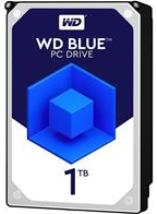
WD Blue 1TB Desktop Hard Disk Drive - 7200 RPM SATA 6Gb/s 64MB Cache 3.5 Inch - WD10EZEX - OEM
Specifically designed for small form factor PCs and Macs.
Performance 3.5-inch hard drive available in up to 1TB capacities.
Designed for creative professionals, gamers and system builder.
Improve PC Performance: Give your desktop a performance and storage boost when you combine your hard drive with an SSD to maximize speed of data access and a WD Blue drive for up to 6TB of additional capacity.
Computer file systems measure hard drive capacities in powers of 1024 thereby causing available disk space to be less than the advertised capacity.
On shutting down your computer, any information not saved on the hard drive will be lost.
These units are sealed to prevent the entry of dust and moisture.
For good performance, computer hard drives should be optimized which means increasing its storage space to the maximum.
Optimizing a hard drive increases its efficiency by speeding up disk operations and allowing more data to be stored on the disk. You can optimize your drive by:
Deleting unnecessary files.
Defragmenting the disk - This process re-organizes data on the disk and rejoins fragmented or non-contiguous data to form contiguous data clusters.
Heat is a 'killer' of hard drives, therefore, it is mandatory that your hard drives are adequately cooled. Allow sufficient space around the drive for proper ventilation and, if necessary, install a hard drive cooler. You can view hard drive coolers here.
Never move your computer when the hard drive is running - you can damage the spinning platters inside the drive due to their close tolerances.
The structure of Computer Hard Drives
The first computer hard disk was invented by IBM in 1956 and their physical size and cost have reduced dramatically while capacity has increased.
Form factors have also changed over the period to today's popular 3.5 inch and 2.5 inch drives. 2.5 inch drives are mainly used in mobile and portable systems. There was also an unusual 1.8 inch form factor which is rarely used.
A hard drive has several platters that can store information on both sides. The platters are metal which are coated with a material that can be magnetically charged.
Earlier computer hard drives had approximately one or two platters (two or four sides). Today, large capacity drives have ten or more platters (twenty or more sides).
Older computers had hard drives with platters approximately 5 1/2 inches in diameter. The present hard drives have 3 1/2 inch diameter platters.
Portable computers or laptops have hard disks with 2 1/2 inches diameter platters. These platters are divided into circular rings called tracks and each track is divided into sectors.
One sector holds 512 bytes of data. The stacking of tracks on the platters produces a cylinder.
The read/write heads move together over the surface of the platters when reading or writing.
All the platters in the drive are formatted alike so that the tracks and sectors of each platter are identically aligned over each other. This causes the read/write heads to be always located over the same track and sector of each platter.
Today's storage (disks) have graduated from Serial ATA (SATA) to the faster SATA SSDs and M.2.
Computer Hard Drives - Capacity
The capacity of a hard drive is dependent on the following:
The number of disk surfaces or sides.
The number of sectors on each track.
The number of tracks per surface or side.
The amount of data in each sector.
With the above factors, you can compute the capacity of the hard drive using the following formula:
Capacity = the number of sides
x the number of tracks per side
x the number of sectors per track
x the amount of data in each sector
Computer Hard Drives - Speed
After capacity, the next most important feature of a hard drive is its speed.
The speed of computer hard drives is very important since the speed will affect the loading time of the programs that are used.
The drive speed is determined by data-encoding, rotational speed, speed of the read/write heads and the speed of data movement between the CPU and the drive.
Access time and seek time describes the speed at which the read/write head is moved to the correct point on the disk. Transfer time is the rate at which data is moved between the CPU and the disk.
Data transfer and seek time have dropped tremendously over the years due to advancements in technology.
In the SATA drive realm, Western Digital led the field in speed with its "Raptor 74GB, 10,000RPM SATA drive" which it has now increased to the new Raptor 150GB, 10,000RPM SATA drive.
This speed is still below the 15,000RPM boasted by "SCSI" drives.
Computer Hard Drives - Data Storage
Only a portion of the drive's surface is used for storing data. The first cylinder is reserved for the operating system files such as the File Allocation Table (FAT) and the Boot Record.
The remaining surface of the disk can be used for installing another operating system (dual boot) and your other programs and applications.
Reserved Disk Areas
The operating system designates some sectors of the disk for special functions which are listed below:
The DOS boot record (DBR) contains the startup codes, disk identification information and information that indicates where DOS can look for the FAT (File Allocation Table).
The master boot record (MBR) contains information about the disk partitions.
The file allocation table (FAT) lists which files are stored in which clusters.
The root directory lists the files and their associated information which you can view by using the DIR (Directory) command.
History of Computer Hard Drive Interface
The hard drive interface connects the drive to its controller. Below are the six different types:
ST-506/ST-412:
This was the oldest interface and had a data transfer rate of approximately 5 megabits per second. It is an analog interface in which data is sent by a ribbon cable that connects the controller and the drive. It had limited data transfer speed and accuracy.
ESDI (Enhanced Small Device Interface):
This interface followed and it was digital and could attain speeds of approximately 20 megabits per second. These computer hard drives were more expensive than the rest.
IDE (Integrated Drive Electronics):
This drive has the controller built into the drive making it a drive/controller assembly. The most popular IDE is the ATA/IDE (ATA = AT Attachment) which plugs into a bus connector into the motherboard.
EIDE (Enhanced Integrated Drive Electronics):
This interface made four improvements over the standard IDE:
Drive capacity increase which eliminated the 504 MB limit.
Faster transfer rate.
Introduction of the secondary two-device channel which allows four EIDE devices to be connected simultaneously.
ATAPI (Advanced Technology Attachment Packet Interface) support which enables CD-ROMs and other devices to connect to the EIDE interface.
SCSI (Small Computer System Interface):
Pronounced 'scuzzy' is not a drive interface - It is a system-level interface that supports up to eight devices called SCSI IDs.
One of the IDs is used as the host adapter which leaves the remaining seven for connecting other peripherals such as hard drives, CD-ROM drives, etc. Because systems now have four host adapters, you can connect up to twenty-eight devices.
Most high-end systems incorporated SCSI host adapters. SCSI computer hard drives have very high disc rotation speeds and are more expensive than other drives.
UltraDMA (UDMA):
This IDE interface increased the data path to the computer hard drive and doubled the transfer rate from 16.6 MB to 33 MB per second. There were requirements for the use of UDMA for computer hard drives such as:
Motherboard support.
A compatible bios.
A device driver for the operating system.
A compatible hard drive.
UDMA computer hard drives are downward-compatible which means that they can be used with EIDE or standard IDE interfaces. However, when used this way, the hard drive will operate at the lower IDE speed.
Transfer Speeds - UDMA 33/66/100/133
The above represents the different data transfer speeds of hard drives; UDMA 33 being the first and slowest. Next was the UDMA 66 and UDMA 100 with UDMA 133 being the latest and fastest of the UDMA series.
Your computer motherboard should support UDMA to utilize this speed increase. Nevertheless, if (for example) you connect a UDMA 133 hard drive to a UDMA 33 motherboard, it will only achieve the speed of UDMA 33.
Disk Rotation Speeds (RPM)
These are the speeds (RPM) at which the internal disks within the hard drive rotate.
The first hard drive speed was 5400 RPM which eventually increased to 7200 RPM. The 5400 RPM hard drives are used mostly by laptops and older desktop PCs.
Most systems today use the 7200 RPM computer hard drives but you will also encounter the 10000 and the 15000 RPM drives in high-end systems. The 10000 and the 15000 RPM drives use the SCSI interface and are extremely fast but are expensive.
Serial ATA
The Parallel ATA drive is being replaced by the Serial ATA. This new drive offers more bandwidth than its predecessor and also enables easier installation. Easier means that it does not require jumper settings to configure it for Master or Slave or Cable Select; all Serial ATA Drives are equal.
SATA drives use smaller data and power cables as compared to the older flat ribbon cable used by parallel ATA drives. This allows increased air flow in computer systems.
Serial ATA interface allow data to be transmitted at a faster rate. This rate started out being 150MB/s which is a little faster than the old ATA drive which had a maximum rate of 133MB/s. The rate has now increased to 300MB/s and, hopefully, should reach 600MB/s by the year 2007.
Hard Drive Terms
Areal Density: Areal Density or "Bit Density" is the amount of data that can be stored on a given surface area on the drive's platter. Hard drive performance can be enhanced by increasing the Areal Density.
Burst Speed: Hard drives contain internal memory which is called a "buffer". If data stored in this buffer is requested by the OS (operating system), it can be delivered right from the buffer which is faster than having the disk's mechanical system retrieve the data. This action of retrieving data from the memory is called "bursting" and the speed at which it delivers data from the memory or buffer is called the "burst speed". This internal memory or buffer is also referred to as "cache".
Hard drives are available in 2MB, 8MB, 16MB and 32MB cache.
S.M.A.R.T.: This stands for Self-Monitoring Analysis and Reporting Technology. This is a feature of hard drives which monitors the drive's overall condition and predicts the drive's life expectancy.
External hard drives are mostly used for data backups, network drives and NAS (Network Attached Storage).
Seagate introduced the first hybrid drive which is a combination of a regular hard drive and a SSD (Solid State Drive).
SSD (Solid-State Drives): Solid-State Drives are the new data storage devices that store data using solid-state memory. Unlike hard drives, SSDs have no moving parts hence the name. Instead of storing data and magnetic platters, SSDs store data and flash memory. Click here for more information on SSDs (Solid State Drives).
Final Thoughts:
With today's trend of drive capacities increasing while prices are decreasing, "grab" the largest drive you can afford.
Enjoy this page? Please pay it forward. Here's how...
Would you prefer to share this page with others by linking to it?
Click on the HTML link code below.
Copy and paste it, adding a note of your own, into your blog, a Web page, forums, a blog comment,
your Facebook account, or anywhere that someone would find this page valuable.